Quickstart
Install Worksmith, connect a model, and run a task in the TUI or from the command line.
You need a terminal, a local or hosted model that supports tool calling through an OpenAI-compatible API, and a repository to work in.
Install · Connect a model · Use the TUI · Run a command
Install
Choose one installation method.
Homebrew (macOS):
brew tap bradleyd/worksmith
brew install bradleyd/worksmith/worksmith
Prebuilt binary: download the archive for your platform from
GitHub releases, extract it,
and put worksmith on your PATH.
From source (requires Rust):
git clone https://github.com/bradleyd/worksmith
cd worksmith
./install.sh
Check the installation:
worksmith --versionConnect a model
Run worksmith once. On first launch it creates ~/.worksmith/ and an
annotated config.example.toml. Copy that file, then open the copy in your editor:
cp ~/.worksmith/config.example.toml ~/.worksmith/config.tomlFor OpenRouter, the following is a complete minimal config.toml. Set model
to the ID of a tool-capable model available to your account, prefixed with
openrouter/.
model = "openrouter/qwen/qwen3.8-27b"
max-tokens = 8192

[providers.openrouter]
base-url = "https://openrouter.ai/api/v1"
api-key-env = "OPENROUTER_API_KEY"
Set your key in the same terminal where you will run Worksmith:
export OPENROUTER_API_KEY="your-api-key"Using a local server or another provider? See model configuration for local model setup, OpenAI, vLLM, and oMLX examples. Once configured, either mode below uses the same model and tools.
Use the TUI
The full-screen terminal interface is the default. Open a terminal in the repository you want to work on, then launch:
worksmith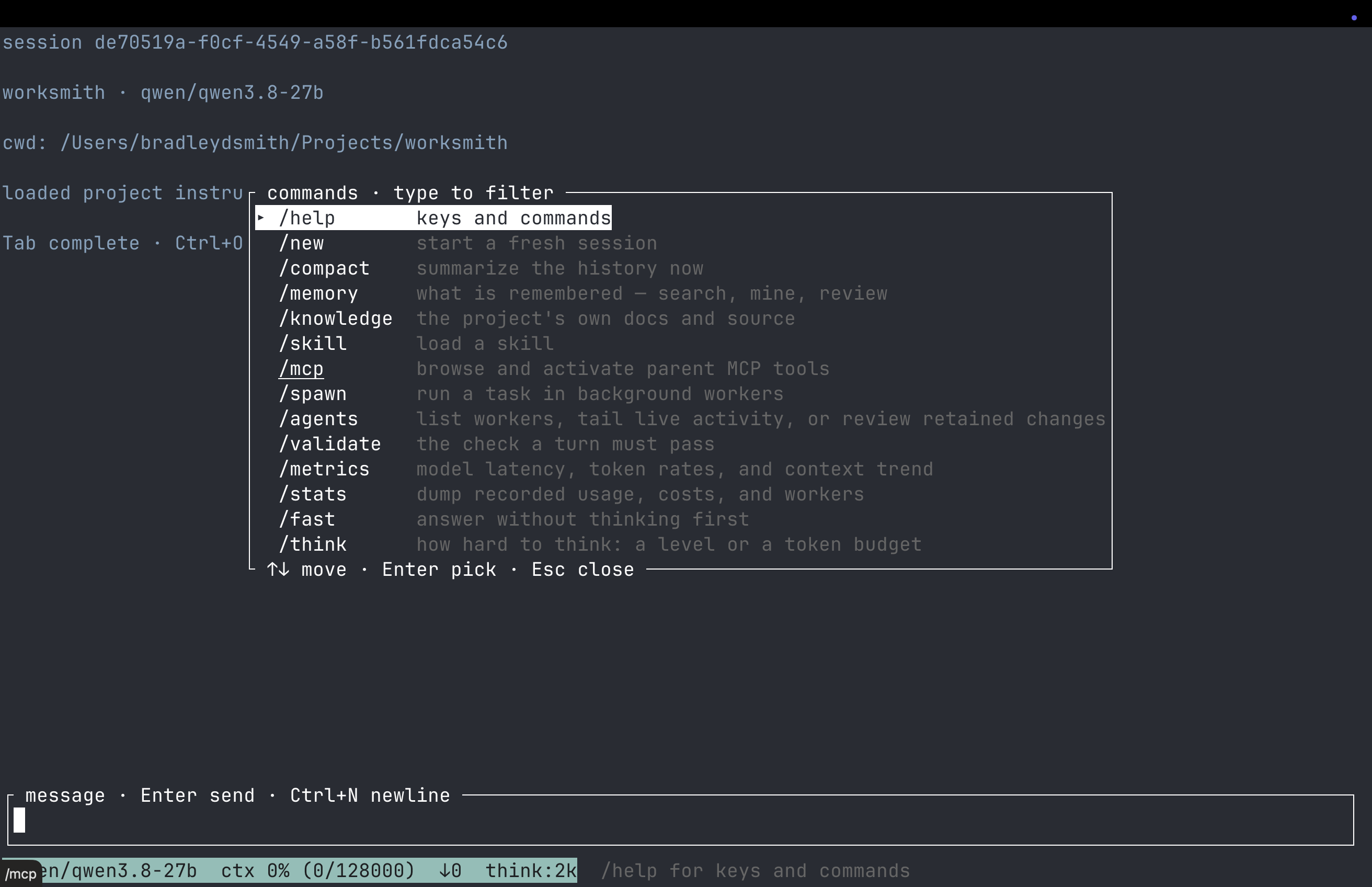
Type a task in the input area and press Enter, for example:
Explain how this project is organized and where its tests live.Each message you send becomes a turn in the transcript. The turn's root row
quotes your message and shows its state on the right: working with the time
so far, waiting for you while a checkpoint or approval needs an answer, done
with the elapsed time, or ended with the reason when the turn stopped short.
The response, tool activity, and checkpoints sit indented under that row, in the
order they happened. Nothing is summarized or labeled by a model. You can ask
follow-up questions in the same session. Successful tool results start
collapsed; failures start expanded. Model reasoning is hidden by default; Ctrl+T
shows it. Enter transcript navigation with jj or Esc while idle, select an
entry or a turn's root row, and press Enter to toggle it. A search opens any
folded turn or entry that matches. Press i to return to typing.
Use /pair on when you want to discuss decisions as you work. Pairing adds
collaboration guidance to model requests and offers checkpoints for your direction.
At a checkpoint, end a follow-up question with ? to discuss it before deciding;
the turn stops if four discussion rounds pass without a decision. Checkpoint
questions, discussion, and answers stay together in an expandable entry. Bold
Assistant and You labels separate replies, and a left border marks your text
without relying on color. Pairing
guidance helps the model collaborate, but cannot guarantee it will identify every
decision that deserves a checkpoint. Use /pair off to turn it off.
Esc at a checkpoint skips the question and lets the assistant decide and continue; it does not cancel the turn.
To work on a failing test, set the check first by entering:
/validate cargo testThen send your task:
Make the failing test pass.Replace cargo test with your project's test command. Worksmith runs that
check before accepting completion and sends failures back to the model to retry.
Use /validate off to clear the check for later tasks.
You can also launch the TUI with the check and first task already supplied:
worksmith --until "cargo test" "make the failing test pass"| Action | Key or command |
|---|---|
| Send a message | Enter |
| Add a newline | Ctrl+N |
| Toggle all tool details | Ctrl+O |
| Toggle selected entry or turn | Enter in transcript navigation |
| Show or hide model reasoning | Ctrl+T |
| Enable pairing | /pair on |
| Stop the current turn | Esc |
| Read the transcript | Esc with an empty input; i to return to typing |
| Show available commands | /help |
| Explain the status footer | /help footer |
| Exit | /quit or Ctrl+C |
Run a command
Use --print for a single task: Worksmith runs it, prints the final answer,
and exits. This is useful from a shell or script.
worksmith --print "summarize src/main.rs"To require a passing check for that task:
worksmith --print --until "cargo test" "make the failing test pass"A prompt alone opens the TUI in an interactive terminal. Add --print when
you want a one-shot run. Both modes can read files, edit code, and run tools.
For an interactive session without the full-screen interface:
worksmith --plainFor scripts that consume structured events:
worksmith --mode json "list the rust files"One-shot runs cannot ask you to approve a tool action. If an action needs approval, run the task interactively so you can review it.
Understand the result
With --until or /validate, a task is complete only when your check exits
successfully. Failed checks trigger a bounded number of retries; Worksmith
can still stop with a failure if it cannot resolve the problem. A passing
check verifies what that command covers, so review the changes as well.
- Validation loop: how checks and retries work.
- Model configuration: provider examples and setup fixes.
- Metrics and cost: understand usage and the status footer.